


Why Your Internet Slows Down at Night (And How to Fix it)
By: Vincent Totino
Read Time: 6 min.
July 23, 2026
If your Internet is slow at night, it’s almost always because more people are online at once. Evening is the busiest stretch of the day for every network, and that demand shows up at slower speeds—either on the network or inside your own home.
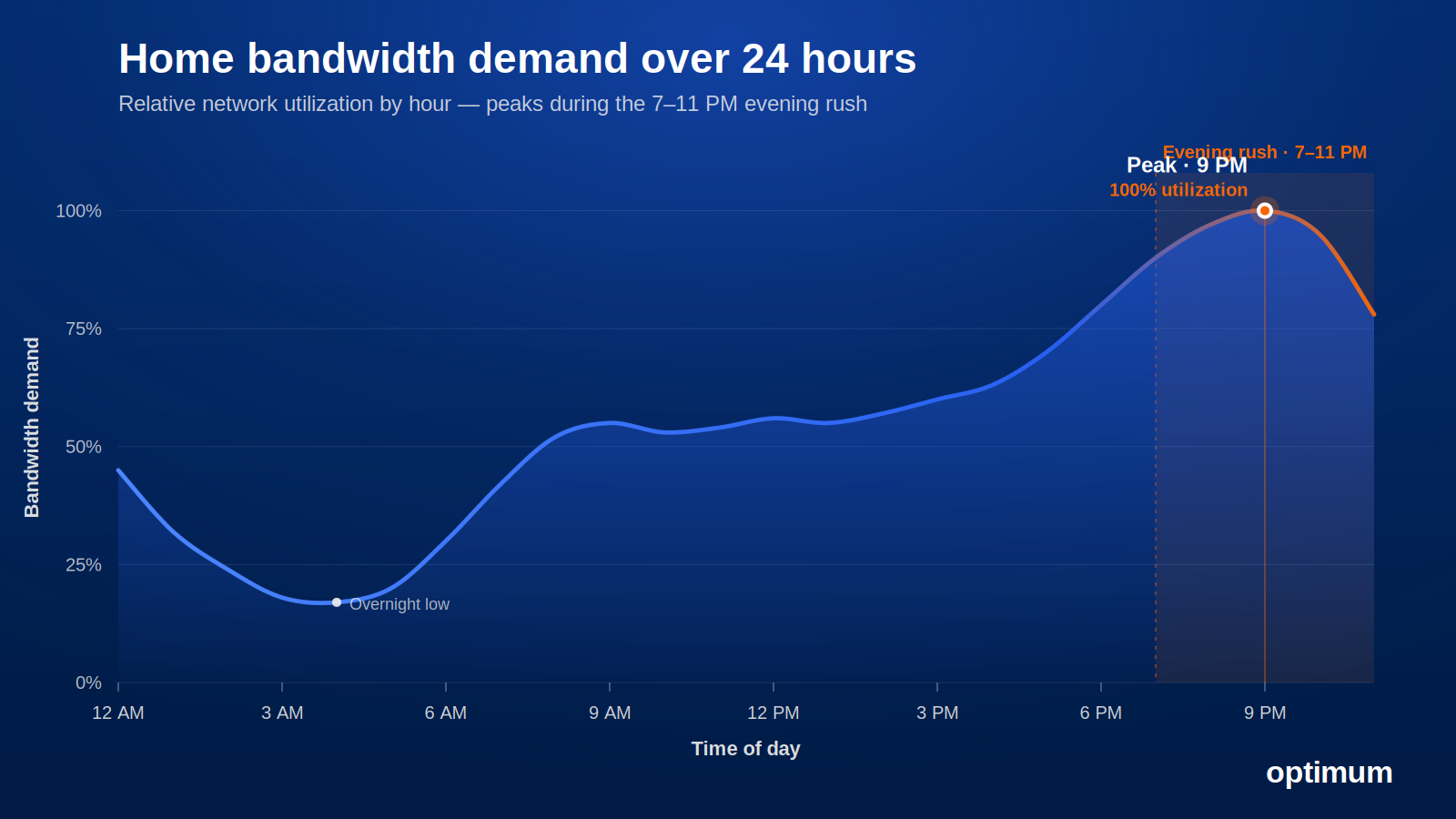
Your Internet slows down at night because more people are online at the same time. The FCC defines peak hours as weeknights between 7 and 11 pm, when most households stream in 4K, game, and video call simultaneously. This surge strains shared network bandwidth—and crowded Wi-Fi inside your home often adds to the slowdown.
The good news: it’s usually diagnosable, and often fixable. Want a baseline? Run a speed test for real numbers to work with.
Why your Internet slows down at night
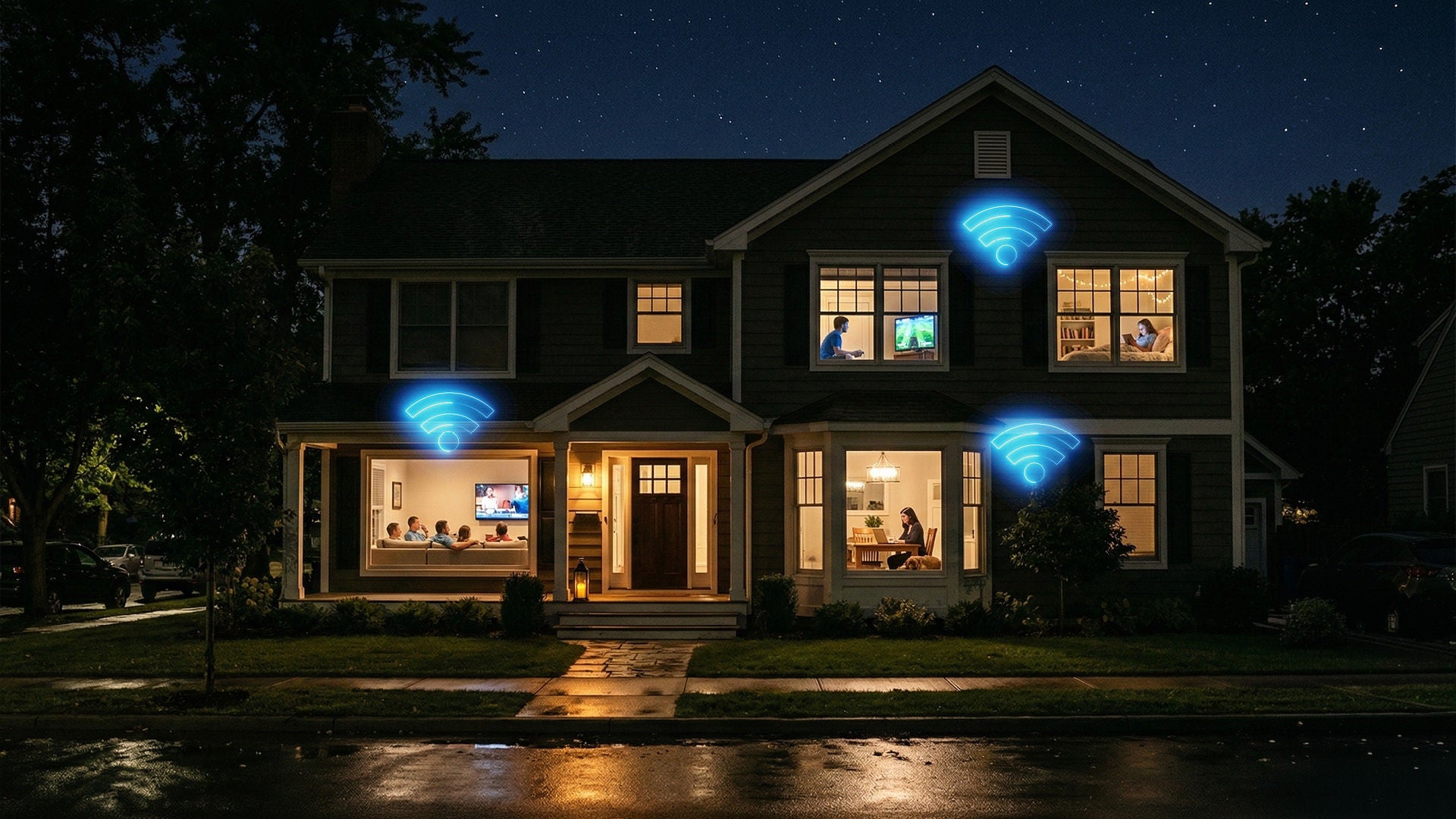
The FCC defines peak hours, which is a network’s “busy hour”, as weeknights between 7 and 11 pm. That’s when most of us are home at once: streaming in 4K, gaming, video calling and backing up our phones.
When everyone pulls data through the same shared infrastructure at once, you get network congestion (the internet’s version of rush hour)—think of a highway at rush hour, where the road didn’t shrink but there are far more cars on it.
Optimum describes its own network the same way: a bidirectional, shared network where congestion appears when demand runs unusually heavy.
It helps to separate three things people lump together.
- Congestion is a temporary slowdown from simultaneous demand, and it clears as traffic dies down.
- Throttling (also called bandwidth throttling) is intentionally limiting speeds and it’s not what most “slow at night” cases are.
- Weak Wi-Fi is a problem inside your home, between your router and your device.
Most nighttime slowdowns are some mix of congestion and Wi-Fi—rarely throttling.
Is it your Internet service provider (ISP) or your home network?
Before you blame anyone, find out where the slowdown lives. Three quick checks tell you most of what you need.
- Test wired versus Wi-Fi. Plug a laptop into your gateway with an Ethernet cable and run a speed test (an independent tool like Speedtest by Ookla works for a second opinion), then test over WiFi from the same spot. Advertised speeds are for a wired connection and WiFi speeds may vary, so if wired is fast and WiFi is slow, the problem is inside your home.
- Compare day versus evening. Test around 2 pm and again around 9 pm. A big evening-only drop points to peak-hour demand; a slowdown that’s there all day points to your equipment or plan.
- Check for outages. Optimum users can open the My Optimum app to see if there’s a known issue in your area before troubleshooting anything else.
Why Fiber handles peak hours better
Every network shares capacity—that’s how the internet works. The difference is how much headroom the design leaves when demand spikes. Fiber-optic lines carry data as light, with plenty of capacity even when the whole neighborhood is online.
Optimum Fiber is symmetrical, too, so upload speeds match download—a real advantage now that evenings are full of video calls, livestreaming and cloud backups, all of which lean on upload.
Built on 100% fiber, Optimum's fiber network is engineered for 99.9% reliability with unlimited data and no annual contract. More headroom at peak means your 9 pm can look a lot more like your 9 am. See whether Optimum Fiber is available at your address.
What you can do tonight to improve slow speeds
You don’t have to wait on anyone to claw back some speed tonight.
- Switch to the 5 GHz band. For devices close to the router, 5 GHz is faster and less crowded than 2.4 GHz.
- Reposition your router. Keep it in the open, up high and away from walls, metal and microwaves—a gateway in a cabinet fights your own signal.
- Ease up on simultaneous heavy usage. Four 4K streams plus a game download plus a video call will tax any connection.
- Pause big downloads. Game patches, updates and backups love to fire off in the evening—schedule them overnight instead.
- Then re-test after each change so you can see what helped.
If you work from home, our guide to maximizing home WiFi for remote work goes deeper on smooth evening calls.
When it’s time to upgrade your setup
If you are troubleshooting and evenings are still rough, it may be time for a bigger change. Three honest scenarios:
A faster plan helps when your household regularly maxes out what you pay for—lots of people, devices and 4K at once. Not sure where you land? Here’s how much speed you need for a home your size.
Better Wi-Fi equipment helps when wired speeds are fine but coverage is patchy. A newer gateway like Wi-Fi 6E gateway, or Whole Home Wi-Fi with extenders, clears dead zones and handles more devices. For the deeper version, see Wi-Fi 6 explained.
Switching to fiber makes the biggest difference when you want symmetrical speeds and more headroom at peak, up to 8 Gig. Speeds listed are for wired connections and WiFi speeds may vary. Compare your options on internet plans.
Frequently Asked Questions (FAQs)
Why is my Internet so slow at night?
Because more people—in your area and in your home—are online at the same time. The FCC defines the network’s busiest hours as weeknights between 7 and 11 pm, so shared bandwidth gets stretched. Crowded WiFi inside your home often piles on top of that.
Is my ISP throttling my Internet?
Probably not in the way you’re picturing. Most nighttime slowdowns are ordinary congestion, not someone flipping a switch on your account. Optimum uses industry-standard, content-neutral traffic management only to keep the shared network running smoothly during peak congestion, and most subscribers never notice it. Optimum fiber plans also have no data caps.
Will a faster plan fix nighttime slowdowns?
Sometimes. A faster plan helps if your household regularly uses everything you pay for. But if the bottleneck is old or poorly placed WiFi equipment, a bigger plan won’t fix it—better WiFi will. Test wired versus WiFi first to find out which one you’re dealing with.
Why does fiber perform better during peak hours?
Fiber carries data as light and offers a large amount of capacity, with symmetrical upload and download speeds. That extra headroom means heavy evening demand is less likely to slow you down, and Optimum Fiber is engineered for 99.9% reliability.
The bottom line
A slow connection at night isn’t a mystery, and you’re rarely stuck with it. Run a test, compare wired against WiFi, check for outages and make a few quick changes—you’ll usually find the culprit fast. If the network keeps creaking at peak, see what fiber can do at your address.
Stop guessing. Diagnose your slowdown and get the speed your household needs. Is nighttime congestion really the problem? Check if Optimum Fiber is available at your address. Already a customer? Run a speed test to see how your connection holds up during peak hours.
YOU MAY ALSO LIKE

How to Get Affordable Internet: Discounts, Cheap Bundles & Ways to Save
- Read Time: 9 min.
- Internet
- October 29, 2026

Online Safety for Seniors: A Guide to Spotting Scams & Staying Secure
- Read Time: 15 min.
- Internet
- October 29, 2026

Optimum vs. AT&T: Compare Internet speed, pricing and coverage
- Read Time: 8 min.
- Internet
- October 08, 2026