


What Is Internet Latency?
By: Vincent Totino
Read Time: 9 min.
September 10, 2026
Internet latency, often referred to as ping, measures the time (in milliseconds (ms), it takes for data to travel from your device to a server and back. Unlike download speed or upload speed, which determine how fast you receive and send data, latency affects how responsive your connection feels. Lower latency under 20ms is excellent, 20–40ms is good, and anything over 100ms causes noticeable lag in gaming, video calls, and streaming. Speed tells you how much data your connection can move; latency tells you how quickly it respond. High latency can make even a fast Internet connection seem slow, especially in bandwidth-intensive activities like online gaming, video conferencing and streaming HD content.
Simply having high-speed Internet doesn’t always guarantee a smooth experience. If you're dealing with lag in online gaming, video streaming delays, or slow-loading web pages, the issue might not be your Internet speed—it could be latency.
In this guide, we’ll explain what latency is, how it affects your Internet speed performance, and what you can do to reduce it for a seamless Internet experience.
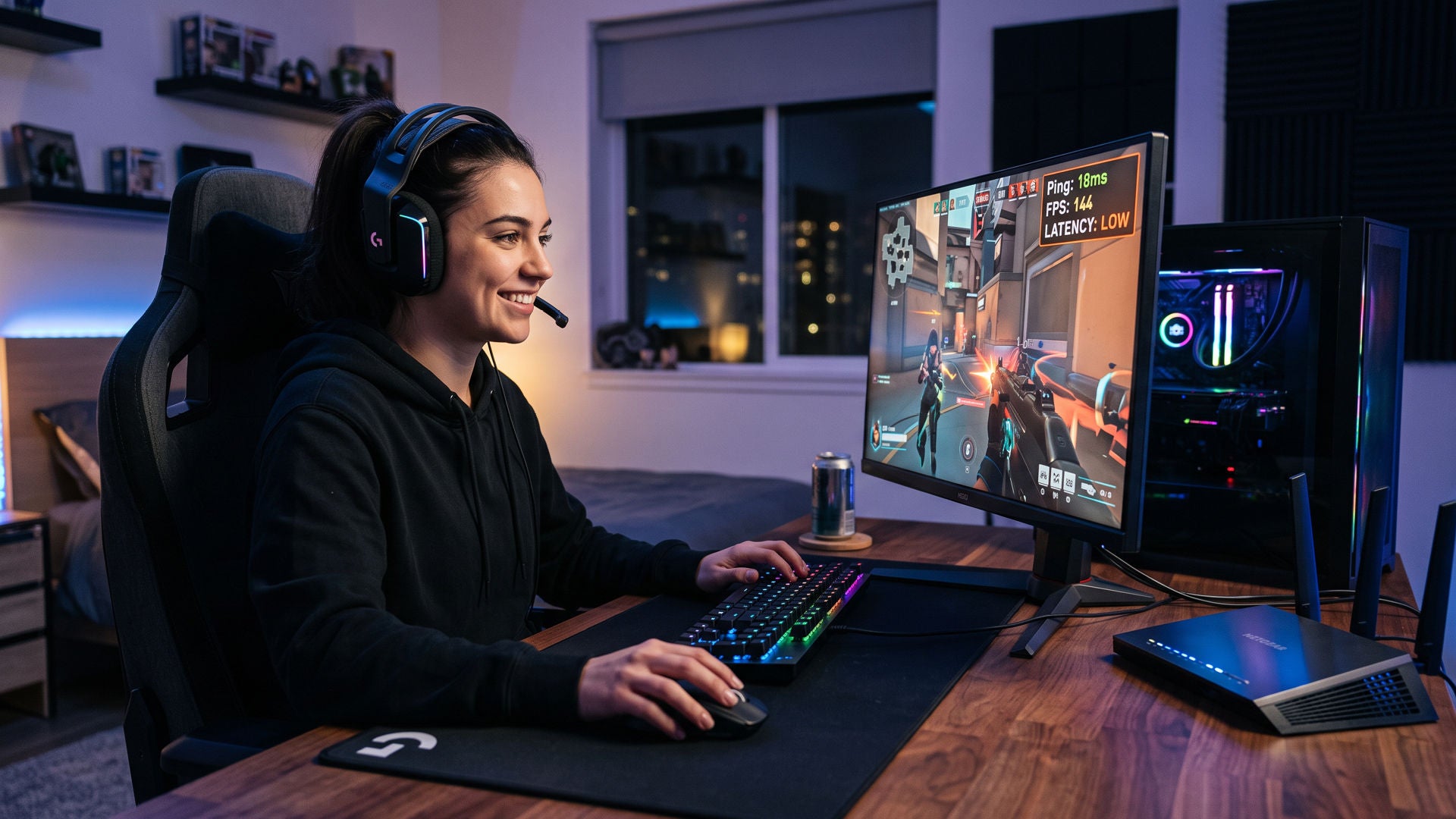
So what does a teenage gamer winning millions of dollars have to do with latency?
In 2019, a 16-year-old named Kyle "Bugha" Giersdorf won $3 million at the first Fortnite World Cup. At that level, every player has fast reflexes and a great setup. What separates first place from everyone else is often measured in milliseconds, and that's exactly what latency is. When Bugha pressed a button, his action reached the game server and came back faster than his opponents' did. A player with 80ms of latency is always reacting to a version of the game that's slightly out of date, no matter how quick their hands are.
You don't need to be a pro to feel the difference. Whether you're competing online, jumping into a video call, or trading in real time, low latency means the Internet keeps up with you, not the other way around.
Does latency affect my Internet performance?
Latency can impact many aspects of your Internet performance, even with high download and upload speeds. Some of the most noticeable issues are:
- Slower webpage loading times
- Buffering during video streaming (Netflix, YouTube, etc.)
- Delays in online gaming, making actions feel unresponsive
- Lag or interruptions in video conferencing and VoIP calls
- Longer wait times when sending or receiving large files
What is a good and bad latency?
Lower latency means a faster, more responsive connection, while higher latency can cause delays, buffering, and lag in online activities.
| Latency (Ping Time) | Performance | Best For |
|---|---|---|
| Less than 20ms | Excellent – Virtually no delay | Competitive gaming, HD video conferencing, live streaming, online trading |
| 20ms - 40ms | Good – Smooth, minimal lag | Casual gaming, 4K video streaming, video calls |
| 40ms - 100ms | Acceptable – Some delay may be noticeable | General web browsing, standard-definition streaming, social media |
| 100ms - 200ms | Poor – Noticeable lag, especially in gaming and video calls | Basic email, messaging, web browsing |
| Over 200ms | Very Poor – Major delays, making real-time interactions difficult | Not suitable for most online activities |
If you notice high latency, running an Internet speed test can help you check if your internet provider is delivering optimal broadband speed and whether network congestion, multiple devices, or a poor WiFi connection is causing the issue.
What does latency indicate?
Latency is an indication of how responsive your Internet connection is. It's a measure of delay, not capacity. Your download and upload speeds tell you how much data can move per second; latency tells you how long each individual request takes to make the round trip between your device and the server.
Another way to visualize latency is to think of it this way: bandwidth is how many lanes a highway has, and latency is how long it takes one car to reach its destination. A wide highway with a long route still gets you there slowly. That's why a Gigabit connection with high latency can feel laggy, while a slower connection with low latency can feel snappy for everyday tasks.
Latency is reported as "ping" in milliseconds (ms). Closely related is jitter, which measures how much your latency fluctuates. Consistent latency is just as important as low latency, especially for gaming and video calls.
What is good latency?
Good latency for most home Internet use is under 40ms. Here's a quick way to read your ping:
- Under 20ms: Excellent. Real-time activities feel instant.
- 20–40ms: Good. Smooth for gaming, 4K streaming, and video calls.
- 40–100ms: Acceptable. Fine for browsing and standard streaming, but you may notice slight delays in fast-paced games.
- 100–200ms: Poor. Lag becomes obvious in games and calls.
- Over 200ms: Very poor. Real-time activities become frustrating or unusable.
Fiber Internet typically delivers the lowest latency, often in the single digits or low teens on a wired connection. Cable Internet usually lands in the 15–40ms range, while satellite connections can exceed 500ms because signals travel to space and back.
What is good latency for gaming?
For gaming, the lower the better. Competitive players want under 20ms. Casual players will have a smooth experience anywhere from 20–50ms. Once latency climbs past 100ms, you'll notice delayed actions, rubber-banding, and getting hit by shots you thought you dodged.
A few gaming-specific tips:
- Play on servers close to you. Distance is a major factor in latency. Most games let you choose a region.
- Use Ethernet, not WiFi. A wired connection removes wireless interference and can cut 10–30ms off your ping.
- Watch your jitter, too. A steady 30ms is better than a ping that jumps between 15ms and 90ms.
- Choose Fiber if it's available. Fiber's low, consistent latency is built for real-time gaming.
How does your internet connection affect latency?
Your connection type, how you connect, and how much traffic is on your network all affect latency:
- Connection type. Fiber transmits data as light through glass, giving it the lowest latency of any home Internet technology. Cable uses electrical signals over coaxial lines, which adds a small amount of delay. DSL runs over older phone lines and is slower still. Satellite has the highest latency because every request travels thousands of miles into orbit and back.
- Wi-Fi vs. wired. Wi-Fi adds latency because your signal has to pass through walls, compete with neighboring networks, and share airtime with every other wireless device in your home. An Ethernet cable delivers data directly and consistently.
- Network congestion. When several people in your home are streaming, gaming, and downloading at once, packets wait in line. That wait shows up as higher ping. The same thing happens on your provider's network during peak evening hours if it isn't built to handle the load.
- Router and equipment. An older router, outdated firmware, or a modem that isn't matched to your plan can add delay before your data even leaves your home.
- Distance to the server. Even on a perfect connection, data can't beat the speed of light. Connecting to a server across the country will always add more latency than one in your region.
How to troubleshoot Internet latency issues?
If you’re experiencing high latency, several factors may be affecting your Internet performance. Here’s how to troubleshoot and improve your Internet speed for a smoother, lag-free experience.
- Check Your Internet Speed - Rub an Internet speed test to determine if you’re getting the download speeds, upload speeds, and latency promised by your Internet provider. If your ping is too high, you may need to adjust your setup or upgrade your Internet plan.
- Use a wired connection instead of WiFi - A wired connection via an Ethernet cable provides faster upload speeds, higher download speeds, and lower latency than a WiFi connection. This is ideal for gaming, video conferencing, and streaming high-definition graphics.
- Reduce network congestion - When multiple users and smart devices are connected to the same connection, network congestion can slow down performance. To minimize congestion:
- Limit bandwidth-intensive activities (e.g., streaming HD videos, online gaming, large file uploads) when others are online.
- Use a mesh router to improve WiFi coverage throughout your home.
- Disconnect unused devices from your network.
- Restart your modem & router - Sometimes, a simple reboot can clear up network congestion and refresh your Internet connection. To do this:
- Unplug your modem and router from the power source for 10–15 seconds.
- Plug them back in and allow them to reconnect.
- Run a speed test again to check for improvements.
- Upgrade your Internet plan - If you regularly experience slow Internet connections, even after troubleshooting, you may need more download bandwidth or upload bandwidth to support several devices and higher-definition activities. Consider switching to a Fiber Internet provider for fast upload speeds and a more reliable Internet connection.
- Optimize your router placement - our WiFi router should be centrally located, free of obstructions, and away from interference (e.g., microwaves, walls, or other electronics). If necessary, a WiFi extender can help eliminate dead zones and ensure seamless Internet performance throughout your home.
- Consider network type:
- Fiber Internet provides the lowest latency due to its ability to transmit data faster via light signals rather than electrical signals used in traditional cable Internet or DSL.
- Satellite Internet tends to have higher latency due to the distance data must travel to and from satellites in orbit.
- Depending on the provider and infrastructure, 5G home Internet may offer lower latency than traditional broadband connections.
- Don't let high latency, slow Internet speeds, or network congestion hold you back. With Optimum's high-speed Internet, you can enjoy fast upload speeds, seamless streaming, online gaming, and crystal-clear video conferencing without interruptions./li>
Frequently asked questions (FAQ)
What latency range is considered good for gaming?
The best latency for competitive gaming is less than 20ms. For casual gaming, a latency range of 20ms - 40ms is good.
How does internet connection quality affect latency even when download and upload speeds are high?
/p>Internet connection – specifically using WiFi versus a wired connection – may lead to more latency. This is because WiFi has to travel through the environment; the signal isn’t delivered directly to a device via a cord.
What are the most common causes of high latency?
High latency may be caused by using WiFi versus a wired connection, using too many devices at once on your network and slow Internet speeds. Run a speed test to determine if your ISP is giving you the speed they promised.
How can you troubleshoot high internet latency using a speed test?
Troubleshoot high latency by using Optimum’s free Online Speed Test page to check the speed of your connection, while also showing you key data related to your signal like latency (ping) and jitter. Lower numbers are ideal for ping. Anything above 100 ms is problematic for most Internet activities.
Besides gaming, which activities are most affected by high latency?
High latency affects almost everything you do using the Internet; high latency impacts 4K streaming, video conferencing, live streaming, online trading and, at higher levels, it also negatively impacts something as simple as sending an email. If you’re participating in an online auction, your high latency also could negatively impact those last-second bids. Your bid may lag and show up too late to compete.
YOU MAY ALSO LIKE

How to Get Affordable Internet: Discounts, Cheap Bundles & Ways to Save
- Read Time: 9 min.
- Internet
- October 29, 2026

Online Safety for Seniors: A Guide to Spotting Scams & Staying Secure
- Read Time: 15 min.
- Internet
- October 29, 2026

Optimum vs. AT&T: Compare Internet speed, pricing and coverage
- Read Time: 8 min.
- Internet
- October 08, 2026