


Free Internet Speed Test
Check Your Connection Speed Now
Is your Internet connection delivering the speed you need for streaming, gaming, and remote work? Find out instantly with our free Internet speed test—no signup required, accurate results in seconds.
Whether you're an Optimum customer checking your service or comparing providers, this speed test gives you real-time data on download speeds, upload speeds, latency, and more.
Find out instantly with the Optimum Speed Test! (Quick, easy, and free. No account required.)
Quick, easy, and completely free. Test your Internet speed from any device.
Understanding Your Internet Speed Test Results
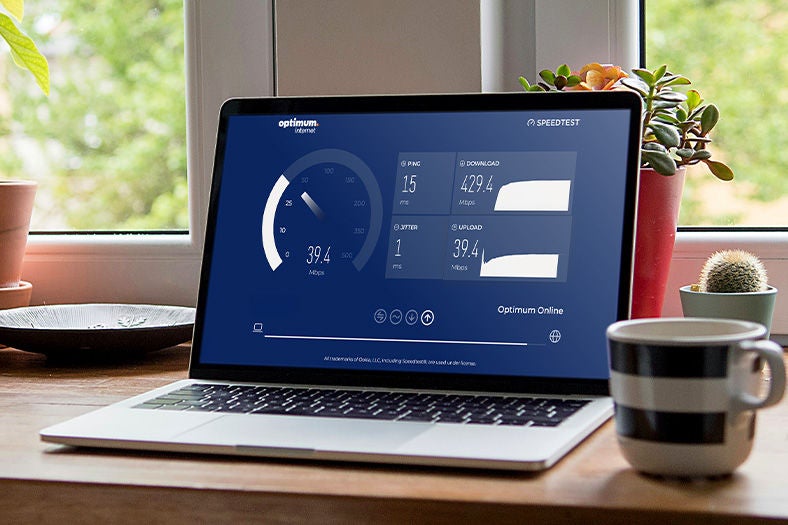
A comprehensive Internet speed test measures more than just how fast your connection is. Here's what each metric tells you about your online experience:
Download Speed (Mbps)
- What it measures: How quickly data is delivered to your device from the Internet
- Why it matters: Download speed determines how smoothly you can stream HD and 4K video, load websites, download files, and browse social media. Higher download speeds mean less buffering and faster loading times.
- What to look for: For HD streaming and general browsing, aim for 25+ Mbps. For multiple users or 4K streaming, 100+ Mbps is recommended.
Upload Speed (Mbps)
- What it measures: How fast data is sent from your device to the Internet
- Why it matters: Upload speed is critical for video conferencing, online gaming, posting to social media, cloud backups, and sharing large files. If you appear frozen or choppy on Zoom or Teams calls, low upload speed is often the culprit.
- What to look for: Video calls require 3-5 Mbps upload. For smooth gaming and content creation, 10+ Mbps is ideal.
Ping / Latency (ms)
- What it measures: The reaction time of your connection or how quickly data travels to a server and back, measured in milliseconds (ms)
- Why it matters: Low latency is essential for responsive gaming, real-time video calls, and interactive applications. High ping causes noticeable lag and delays.
- What to look for: Under 20ms is excellent for gaming. Under 100ms is acceptable for most activities. Over 100ms causes lag.
Jitter (ms)
- What it measures: The consistency of your connection's response time
- Why it matters: High jitter leads to stuttering gameplay, robotic audio on calls, and inconsistent streaming quality. Think of it as how steady your connection is over time.
- What to look for: As close to 0 ms as possible. Lower jitter means more reliable, consistent performance.
Ready to Upgrade Your Internet Experience?
Don't settle for slow speeds, constant buffering, and unreliable connections that can't keep up with your digital lifestyle. Whether you're streaming your favorite shows, dominating in online games, or running a home business, you deserve Internet that delivers
For Non-Optimum Customers
- Check if Optimum Fiber is available at your address
- Compare plans and find the right speed for your household
- Get a quote online or speak with a specialist
For Current Optimum Customers
- Upgrade to faster speeds for better performance
- Add Whole-Home Wi-Fi to eliminate dead zones
- Troubleshoot speed issues with Optimum support
How to Get the Most Accurate Internet Speed Test
Before testing your Internet speed, optimize your test environment to ensure you're measuring your connection's true performance, not just variables in your home network.
For Wired Speed Tests (Most Accurate)
- Connect directly: Use an Ethernet cable to connect your computer to your modem or router. This eliminates Wi-Fi interference for the most accurate measurement of your Internet service provider's delivery.
- Close background apps: Shut down bandwidth-heavy applications like video streams, cloud backups, and downloads. Close any extra browser tabs.
- Restart your devices: Reboot your modem, router, and testing device before running the test.
- Test multiple times: Internet traffic fluctuates. Run the speed test 3 times at different times of the day to establish an average baseline.
For Wi-Fi Speed Tests
- Stand near your router: Distance and obstacles like walls affect Wi-Fi performance. Test close to your router first.
- Use the right band: Connect to the 5GHz or 6GHz band (if available) for faster throughput than 2.4GHz.
- Disconnect other devices: Other smartphones, tablets, smart TVs, and Internet of Things (IoT) devices consume bandwidth even when idle.
- Test from multiple locations: Wi-Fi speed varies throughout your home. Test in different rooms to identify dead zones.
Pro Tip for Optimum Customers: Download the My Optimum Ap to easily test Wi-Fi speeds throughout your home and identify areas that may benefit from a Wi-Fi extender.
What's the Difference Between Internet Speed and Bandwidth?
Many people use "speed" and "bandwidth" interchangeably, but they are different concepts that work together to determine your online experience.
Think of it like a highway:
- Bandwidth is the number of lanes (how much data can travel at once)
- Speed is how fast the cars are driving (how quickly data transfers)
Even if cars are driving fast (high speed), a 2-lane highway will create bottlenecks when too many vehicles try to use it simultaneously. This is why households with multiple users streaming, gaming, and working remotely need higher bandwidth plans that provide a "wider highway" so activities don't compete for the same limited space.
When you test your Internet speed, you're measuring both the transfer rate and your connection's capacity to handle multiple activities at once. If you consistently experience slowdowns when everyone's home, you may need more bandwidth, not just faster speeds.
| Metric | What It Measures | Why It Matters | What to Look For |
|---|---|---|---|
| Download Speed (Mbps) | How fast data is delivered to your device | Determines how smoothly you can stream video, load websites, and download files | Higher is better. Below 25 Mbps may struggle with HD streaming |
| Upload Speed (Mbps) | How fast data is sent from your device | Critical for video calls, online gaming, social media uploads, and cloud backups | If you appear frozen or choppy on calls, upload speed is often the issue |
| Ping / Latency (ms) | How quickly data travels to a server and back | Impacts responsiveness in gaming, video calls, and real-time apps | Lower is better. Under 20ms is excellent; 100ms+ causes noticeable lag |
| Jitter (ms) | How consistent your connection’s response time is | High jitter leads to stuttering gameplay and robotic audio on calls | As close to 0 ms as possible for smooth performance |
Interpreting Your Speed Test: What Your Results Mean
Once you've tested your Internet speed, compare your results to your digital lifestyle needs:
High-Speed Users (300+ Mbps)
- Your experience: Seamless 4K and 8K streaming on multiple devices, instant large file downloads, lag-free gaming, and smooth video conferencing.
- Action needed: Your speed is excellent! If you experience slowdowns in certain rooms, Wi-Fi coverage, not speed, may be the issue. Consider a Wi-Fi extender to eliminate dead zones and ensure strong signals throughout your home.
Moderate-Speed Users (50-300 Mbps)
- Your experience: Adequate for general browsing and HD streaming on 1-2 devices. You may experience buffering during peak evening hours or when multiple family members are online simultaneously.
- Action needed: If you notice slowdowns when everyone's home or during video calls, you're likely hitting your bandwidth limit. Upgrading to a faster Internet plan will eliminate these frustrations.
Low-Speed Users (Under 50 Mbps)
- Your experience: Frequent buffering, pixelated video calls, slow page loads, and limited ability to connect multiple devices.
- Action needed: Your Internet speed is significantly limiting your digital life. Modern households typically need at least 100 Mbps to support streaming, remote work, and connected devices. Consider upgrading to fiber-optic Internet for dramatically faster, more reliable performance.
Why Your Speed Test Might Show Slower Results
If your Internet speed test shows results lower than expected, several factors could be at play:
Wi-Fi vs Wired Connection
- Testing over Wi-Fi will almost always show slower speeds than a wired Ethernet connection. Wi-Fi signals are affected by distance, interference from other devices, physical obstacles like walls, and the capabilities of your device's wireless adapter. For the most accurate test of what your Internet service provider is delivering, connect directly with an Ethernet cable.
Network Congestion
- Internet speeds can slow during peak usage hours (typically evenings) when many people in your area are online. This is especially common with cable Internet connections that share bandwidth across neighborhoods.
Device Limitations
- Older computers, smartphones, and tablets may have slower processors or outdated network adapters that can't take full advantage of high-speed connections. Test on a modern device for accurate results.
VPN and Security Software
- Virtual Private Networks (VPNs) encrypt your data and route it through remote servers, which can reduce speed by 30-50%. Disconnect your VPN before testing to measure your true connection speed. Similarly, firewalls and security software can impact performance.
Router Quality and Placement
- An outdated router, poor placement (tucked in a closet or corner), or incorrect settings can bottleneck even the fastest Internet plans. Wi-Fi 6 routers offer significant speed improvements over older Wi-Fi 5 or Wi-Fi 4 models.
"Up To" Speed Disclaimers
- Internet service providers typically advertise "up to" a certain speed, representing maximum throughput under ideal conditions. Real-world speeds are often 85-95% of advertised rates due to overhead, distance from network nodes, and network management.
Frequently asked questions
Get Faster, More Reliable Internet with Optimum
If your speed test reveals that your current Internet connection isn't meeting your needs, Optimum offers solutions designed for modern digital lifestyles:
Fiber-Optic Internet Speeds
- Optimum Fiber delivers symmetrical multi-gig speeds with matching upload and download performance that is perfect for households with multiple users streaming 4K content, gaming online, and working from home simultaneously. With 99.9% network reliability, you can count on consistent speeds even during peak hours.
Whole-Home Wi-Fi Coverage
- Speed test revealing dead zones or weak signals in certain rooms? The Optimum Smart Wi-Fi Extender intelligently pairs with your gateway to blanket your entire home with strong, consistent coverage. Eliminate buffering and dropped connections throughout every room.
No Throttling or Data Caps
- Unlike some providers, Optimum doesn't throttle speeds based on usage or slow you down during peak hours. Stream, game, and work as much as you need without artificial slowdowns or overage fees.
Advanced Wi-Fi 6 and Wi-Fi 6E Technology
- Optimum's latest equipment supports Wi-Fi 6 and Wi-Fi 6E standards for faster speeds, lower latency, and better performance with multiple connected devices. The 6 GHz band delivers ultra-fast wireless speeds with minimal interference.
Take Control of Your Internet Performance
Whether you're diagnosing slow speeds, comparing Internet providers, or simply curious about your connection's performance, regular speed testing helps you understand what you're getting—and whether it's time for an upgrade.
Use this free Internet speed test anytime to measure your download speeds, upload speeds, latency, and connection consistency. Armed with accurate data, you can make informed decisions about your Internet service and ensure your connection meets your household's needs.
Test your speed now, and if your results show it's time for faster, more reliable Internet, explore what Optimum Fiber can deliver to your home.