


Point-of-Sale Panic? How to Stay Connected When the Unexpected Happens
By: Devin Weeks
Read Time: 10 min.
July 30, 2025
In retail and hospitality, few things trigger that sinking feeling quite like a frozen point-of-sale (POS) screen during your busiest rush. One moment you're processing transactions smoothly, and the next—digital crickets. Customers queue up, frustration builds, and suddenly you're calculating change by hand like it's 1985. This "point-of-sale panic" is all too real for businesses that depend on quick transactions to keep customers happy and revenue flowing.
But here's the good news: with the right preparation and infrastructure, these moments of digital disruption don't have to derail your entire operation. Let's explore how to weather the storm when your POS system decides to take an unexpected break.
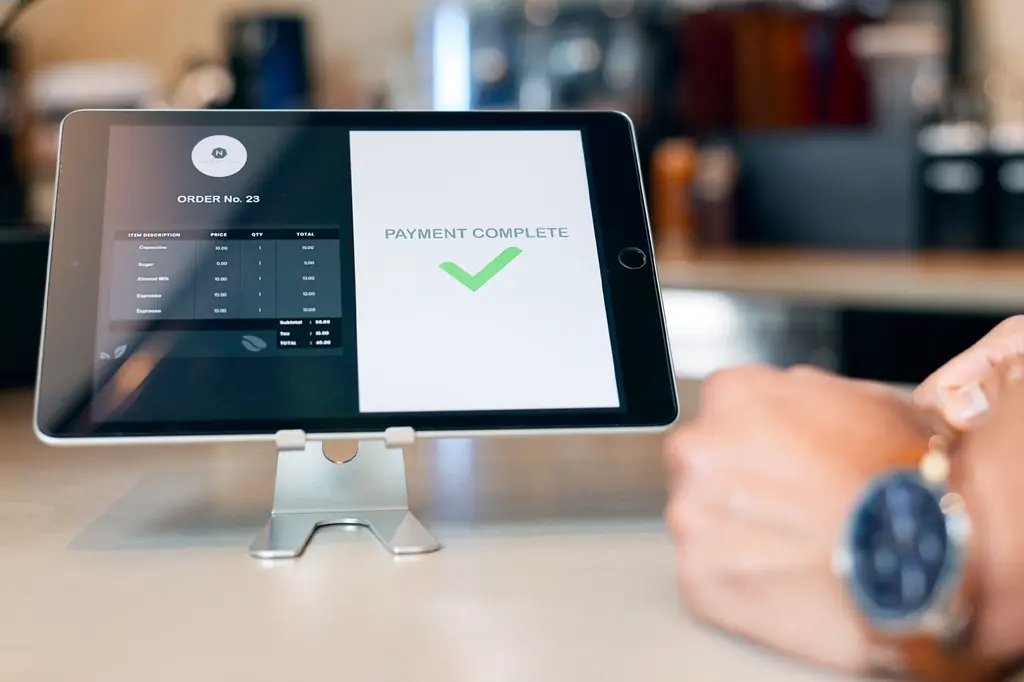
Overview: Point-of-Sale Systems
Modern POS systems have evolved far beyond simple cash registers. Today's solutions integrate inventory management, customer relationship tools, employee scheduling, and detailed analytics—all while processing payments through multiple channels. They're essentially the central nervous system of retail operations, which is precisely why a malfunction can feel so catastrophic.
These sophisticated systems typically include hardware components (terminals, card readers, receipt printers) and software that manages everything from basic transactions to complex inventory forecasting. And like any technology with multiple moving parts, POS systems come with their own set of vulnerabilities.
The Importance of Staying Connected in Retail
In retail, connectivity is both convenient and critical. When a customer is ready to purchase, that moment represents the culmination of your marketing efforts, inventory investment, and customer service work. Interrupting this crucial transaction can have ripple effects beyond the immediate sale.
Studies show that 86% of consumers have left a store due to long checkout lines, and 77% are less likely to return to a store where they experienced checkout problems. Those numbers translate to real revenue impact, making POS reliability a bottom-line issue, not just an operational inconvenience.
Common Problems of Point-of-Sale Systems
POS systems are vital for the smooth operation of retail businesses, but they often face challenges that can disrupt the customer experience.
Hardware Malfunctions
Even the most sophisticated POS hardware isn't immune to physical problems. Receipt printers jam, card readers wear out, touchscreens lose sensitivity, and cables disconnect. These issues often seem minor until they bring your entire checkout process to a standstill.
The challenge with hardware failures is their unpredictability. And they rarely give warning signs and frequently occur during peak business hours when equipment is under the most stress.
Software Glitches
Software issues range from minor bugs to complete system crashes. Common culprits include:
- Operating system updates conflicting with POS software
- Database corruption after power fluctuations
- Memory leaks causing gradual system slowdowns
- Integration failures between different software components
These glitches can manifest as frozen screens, error messages, or the dreaded system crash, often requiring complete restarts, which is what you don't want during busy periods.
Network Issues
Perhaps the most common problem of point-of-sale systems is network connectivity failure. Your POS might be functioning perfectly, but if it can't communicate with payment processors or your inventory database, you're effectively offline.
Network problems typically stem from:
- Internet outages from your service provider
- Router or modem failures
- Wi-Fi interference in busy commercial areas
- Bandwidth limitations during high-volume periods
With cloud-based POS systems becoming increasingly popular, reliable Internet connectivity has never been more important for business continuity.
Employee Errors
Sometimes the problem isn't technological but human. Staff unfamiliar with system procedures might:
- Incorrectly process returns or discounts
- Accidentally trigger system lockouts
- Enter inventory incorrectly
- Mishandle system updates or maintenance tasks
These errors underscore the importance of comprehensive training in conjunction with technological solutions.
Impact of POS Downtime on Business Operations
When your POS system fails, the effects cascade throughout your business:
- Immediate revenue loss from abandoned purchases
- Reduced transaction capacity leading to longer lines
- Customer frustration damaging your reputation
- Employee stress and decreased productivity
- Potential inventory discrepancies requiring manual reconciliation
For small businesses, even brief downtime can have a significant financial impact, with some estimates suggesting that POS failures cost retailers thousands (or even millions) per hour in lost sales and recovery expenses.
Regular System Maintenance and Updates
Prevention remains the most effective strategy against POS failures. Implementing a regular maintenance schedule should include:
- Weekly software updates during off-hours
- Monthly hardware inspections
- Quarterly system performance reviews
- Annual comprehensive audits of your entire POS ecosystem
Updates aren't just about new features. They frequently contain critical security patches and bug fixes that prevent larger problems down the line.
Staff Training and Awareness
Your team is your first line of defense against POS issues. Make sure their training covers everything they need to know:
- Basic troubleshooting procedures
- Offline transaction processing protocols
- Clear escalation paths for technical issues
- Regular refresher sessions on system updates
Well-trained staff can often resolve minor issues before they become major disruptions, maintaining transaction flow even during technical difficulties.
Robust Network Infrastructure
Given the essential role connectivity plays in modern POS operations, investing in robust network infrastructure is crucial. Consider:
- Backup connectivity options (like cellular failover)
- Quality networking equipment designed for commercial use
- Professional network setup with proper security configurations
Your POS system is only as reliable as the network it’s running on. Investing in it should be a top priority for your business.
Troubleshooting Common POS Issues
When issues arise with your POS system, identifying the root cause quickly can minimize downtime and keep your business running smoothly.
Software Corruption Solutions
When software issues come up:
- Perform a controlled system restart when possible
- Utilize system restore points to revert to known good configurations
- Run diagnostic utilities provided by your POS vendor
- Check for and clear temporary file accumulation
Having these procedures documented and readily available can significantly reduce downtime when problems occur.
Addressing Outdated Hardware
Hardware doesn't last forever. Watch for these warning signs that replacement may be needed:
- Increasing frequency of failures
- Noticeable performance degradation
- Compatibility issues with newer software
- Repair costs approaching replacement costs
Proactively replacing aging hardware often costs less than emergency replacements, especially during business hours.
Memory and Storage Issues
As your transaction database grows, performance can suffer. Maintain system health by:
- Regularly archiving historical transaction data
- Monitoring memory usage patterns
- Expanding storage capacity before reaching critical limits
- Scheduling automatic database maintenance
These preventative measures help maintain system responsiveness even as your business grows.
Backup Systems and Contingency Plans
Even with perfect maintenance, unexpected failures can still occur. Smart businesses prepare with:
- Cellular backup connectivity with automatic failover — A cellular modem with battery backup ensures your POS system stays online during internet outages, automatically switching over without disrupting transactions.
- Offline processing capabilities for card transactions
- Backup POS terminals that can be quickly deployed
- Paper-based transaction recording systems
- Clear procedures for reconciling offline transactions once systems are restored
The goal isn't just to have backup technology; it's to have a reliable system. It's about having processes your team can execute confidently during stressful situations.
Be Prepared for Anything with a Rock-Solid Backup Strategy
Point-of-sale panic is a real phenomenon with tangible business consequences, but it doesn't have to derail your operations. By being aware of the common problems associated with point of sale systems, implementing preventive measures, and developing solid contingency plans, you can maintain business continuity even when technology fails.
Reliability is achieved by creating an ecosystem of well-maintained equipment, properly trained staff, robust connectivity, and clear procedures in place for when things go wrong. With these elements in place, those moments of POS panic can become minor inconveniences rather than business catastrophes.
Your customers expect easy transactions, and with proper preparation, you can deliver on that expectation (even when your technology has other ideas).
Want to keep your business connected during a network disruption? Try Optimum Business Connection Backup!
Frequently Asked Questions (FAQs)
What are the most frequent hardware malfunctions in point-of-sale systems, and how can they be prevented?
Common hardware problems in POS systems include touchscreen issues, printer troubles, card reader errors, and connectivity hiccups. Touchscreens can fail due to wear-and-tear or improper cleaning, but using screen protectors and cleaning with the right materials can help prevent this. Printer issues, like paper jams or low toner, are often fixed with regular maintenance and by ensuring supplies are properly loaded. Card readers may act up if dust or debris gets inside, so keeping them clean is key. Connectivity problems, whether wired or wireless, can usually be avoided by using reliable network equipment, regularly checking cables and signal strength, and having a cellular backup connection in place to ensure service continuity during outages. Regular inspections, staff training on proper device handling, and a solid maintenance plan all help keep your POS system running smoothly.
How do software glitches typically manifest in POS systems, and what are the best practices for resolving them?
Software glitches in POS systems can show up in all kinds of ways—slow processing, system freezes, incorrect transactions, or error messages during use. These problems often happen because of outdated software, compatibility issues with other components, or unexpected bugs. To fix them, it’s a good idea to keep your POS software updated to the latest version, run regular system diagnostics, and check that any third-party integrations are compatible. Having reliable tech support on hand and backing up important data regularly can also help prevent bigger headaches if a system recovery is needed.
What role does a robust network infrastructure play in maintaining POS system connectivity?
A robust network infrastructure is essential for ensuring reliable POS system connectivity. It minimizes disruptions caused by poor or unstable internet connections, providing consistent performance for transactional activities. A strong infrastructure should also include cellular backup connectivity with automatic failover and battery backup, ensuring uninterrupted service during outages. This added layer of redundancy supports secure data transfer, reduces the risk of system lags, and helps maintain a smooth customer experience even in the event of a primary connection failure.
How can regular system maintenance minimize the risk of POS downtime?
Regular system maintenance is crucial for identifying and addressing potential issues before they escalate into major problems. By updating software, checking hardware functionality, clearing unnecessary system data, and running diagnostic tests, businesses can enhance system reliability and reduce the likelihood of unexpected failures, ensuring uninterrupted POS operations.
What are the essential features to consider when evaluating POS system providers for reliability?
When choosing a reliable POS system, there are a few key things to keep in mind. Start by looking for hardware and software that are built to last and perform consistently. Make sure the system gets regular updates and offers solid technical support so any issues can be fixed quickly. Scalability is a big one too—the system should grow with your business. Don’t forget about secure payment processing to keep customer data safe. Lastly, check out customer reviews and look for providers with a solid track record you can count on.
YOU MAY ALSO LIKE

Backup Internet for Business: What Retailers Should Plan Before Black Friday
- Read Time: 7 min.
- Business Tips
- October 29, 2026

Business Internet Security Layers
- Read Time: 7 min.
- Business Tips
- October 21, 2026

DNS Filtering and DDoS Protection Layered Security
- Read Time: 8 min.
- Business Tips
- October 21, 2026